Lead Axis features

Lead Axis

Find the customers who need what you sell, and follow up until they buy.

Lead Axis is for people who sell. Tell it what you sell and who buys it, and it finds the businesses that fit, tells you why each one is worth contacting today, writes the first message and every follow-up, and keeps count of the money that comes back.

lead.axisalign.life

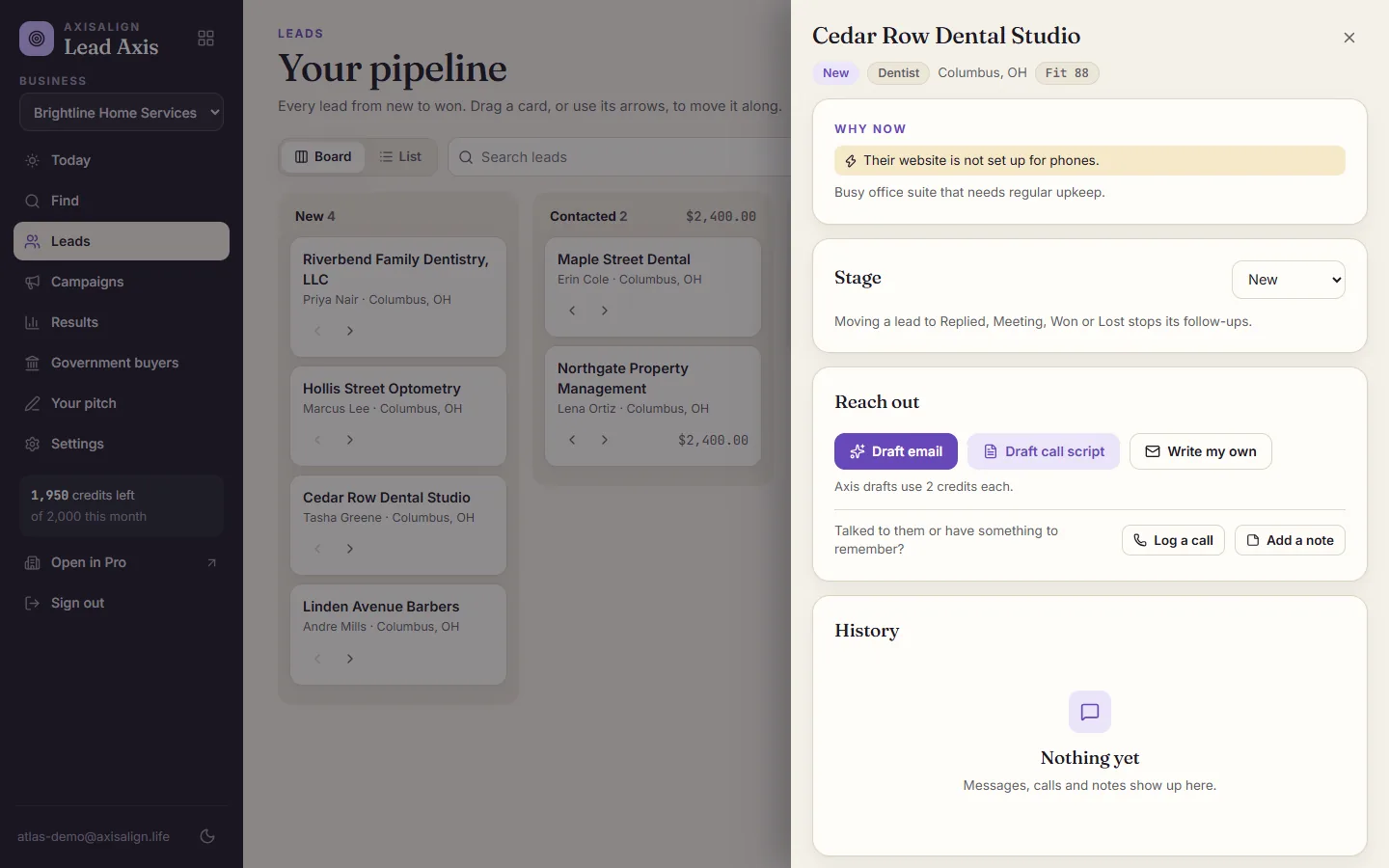
Lead Axis lead details for a fictional dental studio, with the reason to reach out today and buttons to draft an email or a call script.

How it works

  1. Write your pitch once.

    What you sell, who it is for, how you sound and what you want the reader to do. Add your name and mailing address for the footer every email needs.

  2. Find and check.

    Search in one sentence, like "dental offices within 10 miles of Columbus". Lead Axis scores each business for fit and checks its website for a reason to reach out today.

  3. Reach out and follow up.

    Axis drafts each message. You read it, send it from your own email and mark it sent, and the next follow-up lands on Today when it is due.

What it does, by job

Find businesses that fit what you sell

One sentence finds them. Lead Axis scores each one against your pitch and says why.

  • Search by kind of business, place and distance
  • A fit score with a short reason for each business
  • A website check for a public email and phone number
  • Import a spreadsheet from any CRM or list
  • Add a lead by hand
  • Duplicates skipped by email and name
Know who to reach today

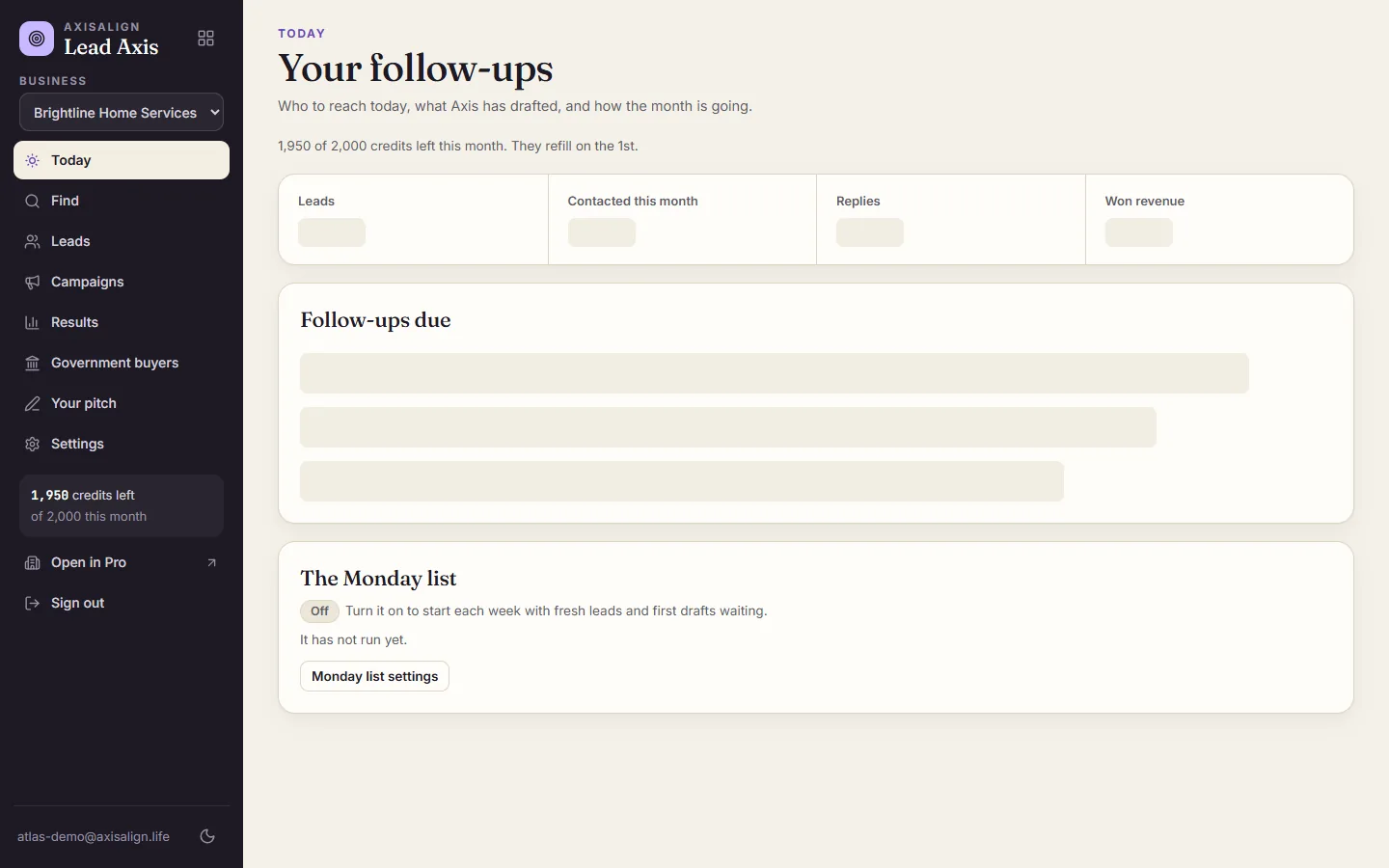
Every lead carries a plain reason it is worth contacting now, and Today lists who is due.

  • No website, a site that is not set up for phones, an old site, or no way to book online
  • Follow-ups due today, with any draft already written
  • The Monday list: fresh leads and first drafts every week
  • Credits left, shown on every page
Lead Axis Today page for a fictional home services company, with follow-ups due and the Monday list.
Today: who is due, and what Axis already drafted.

Let Axis write your outreach

Axis writes from your pitch and the lead's details, and never invents facts, links or deadlines.

  • First emails with a short subject line
  • Follow-ups that add one new reason to reply
  • Call scripts you read yourself
  • Campaign messaging with honest answers to objections
  • A short video brief for each campaign
  • Edit anything before you send it

Run a pipeline from new to won

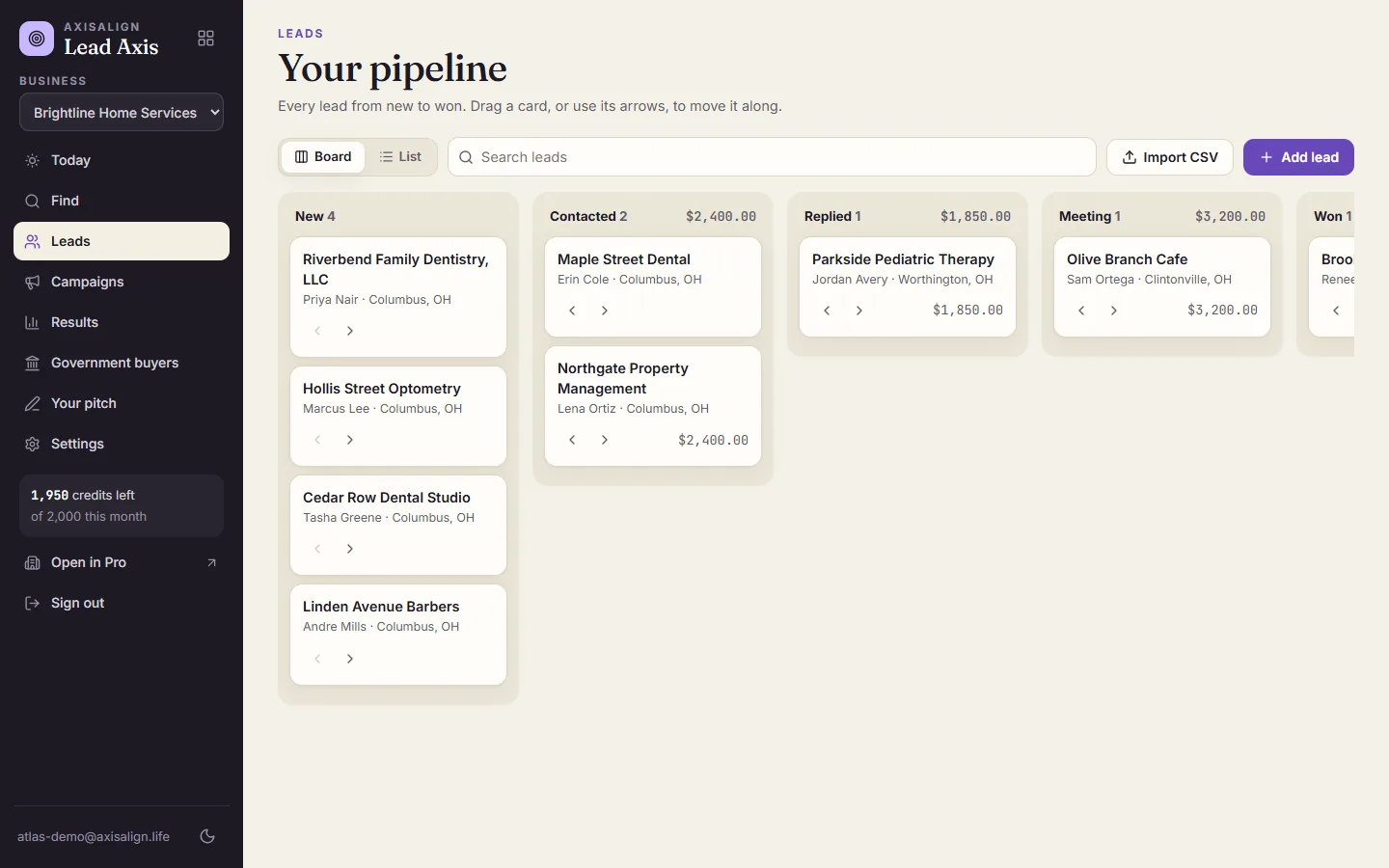
Every lead moves from new to contacted, replied, meeting, won or lost, on a board or a list.

  • Drag a card or use its arrows
  • Deal values on every card
  • Campaigns with steps on the days you choose
  • A reply, a meeting or a win stops that lead's follow-ups
  • Message history on each lead
  • Log calls and notes
Lead Axis pipeline board with fictional businesses in New, Contacted, Replied, Meeting and Won.
Every lead from new to won, with deal values.

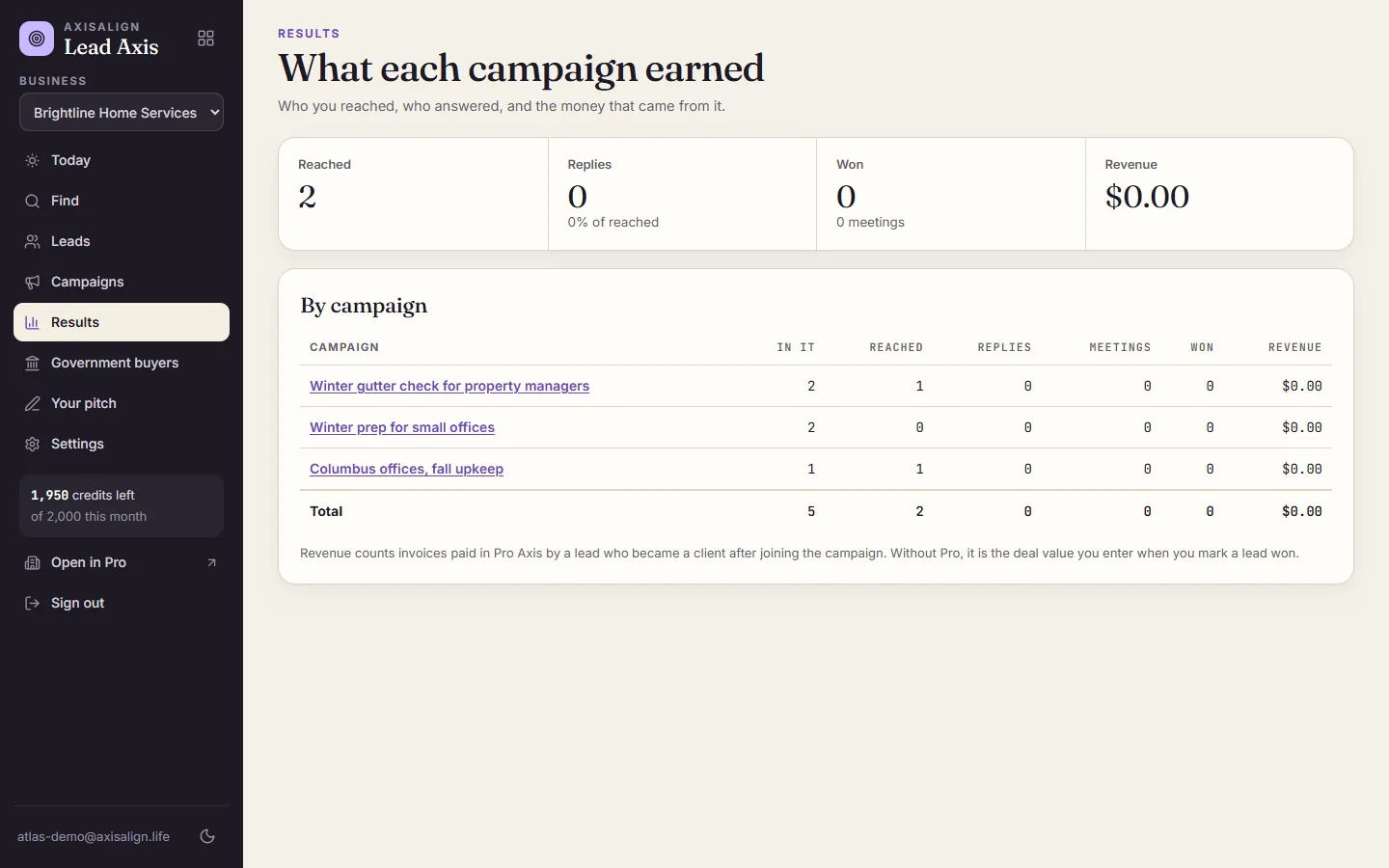
See the money each campaign brought in

Results count what happened after each message, down to the dollars.

  • Reached, replies, meetings and wins per campaign
  • Revenue for each campaign
  • With Pro Axis, revenue from the invoices your new clients pay
  • Without Pro, the deal value you enter when you win
Lead Axis Results with reached, replies, wins and revenue for each campaign.
Results: reached, replies, wins and revenue.

Do outreach the right way

The parts the law asks for are built in, so every email you send carries them.

  • Your name and mailing address in every email
  • A signed unsubscribe link that asks before it acts
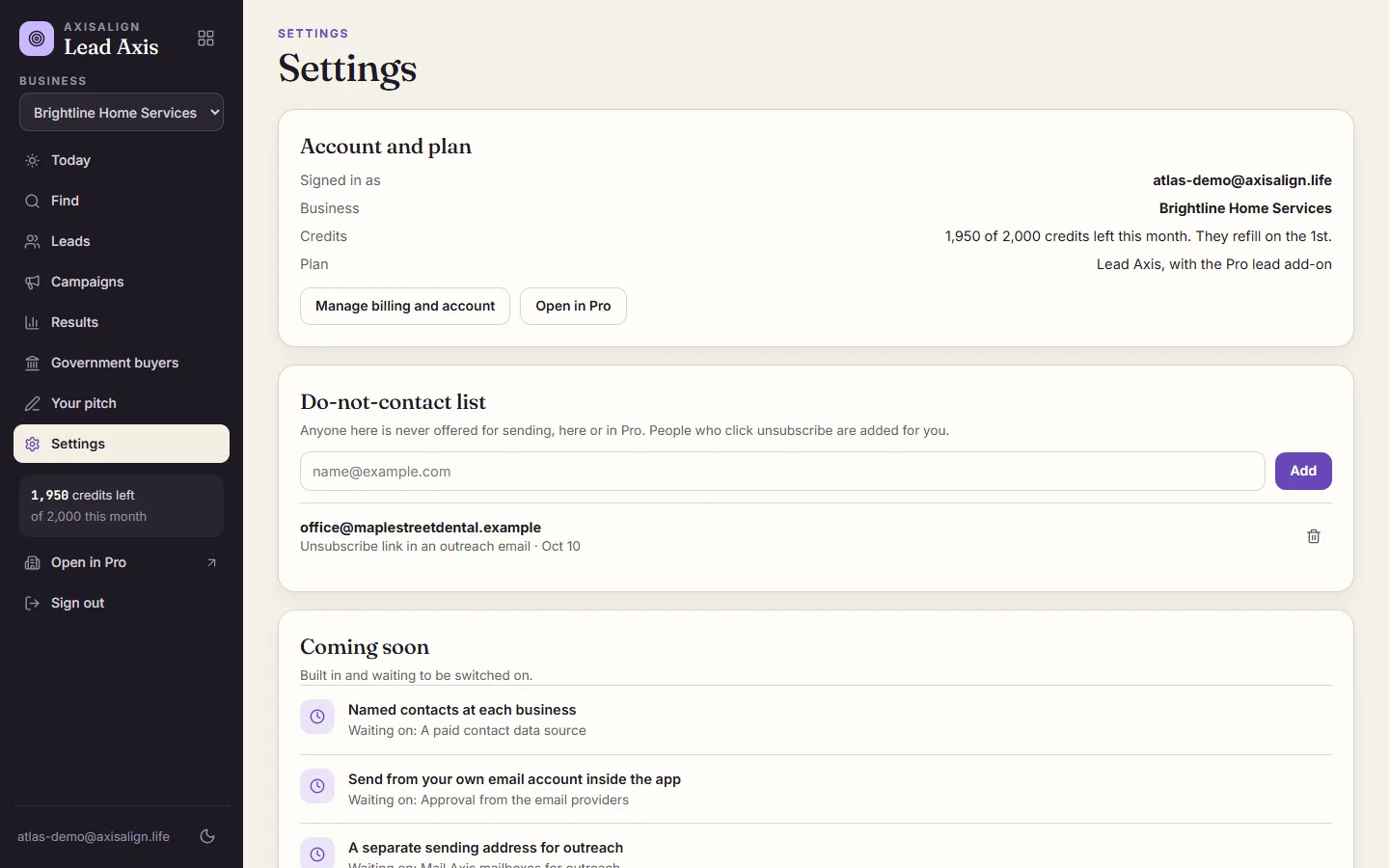
  • A do-not-contact list that fills itself from unsubscribes
  • Opted-out people are never offered for sending again
Lead Axis settings with credits, the do-not-contact list and the coming soon list.
The do-not-contact list fills itself from unsubscribe links.

Find government buyers

Open federal contract notices matched to what you sell.

  • Matched by industry code and keywords
  • Agency, set-aside and response deadline
  • A link to the full notice

Work inside Pro Axis

Add Lead Axis to Pro and the same leads, campaigns and results show up in Find customers.

  • Send a lead to Pro Leads in one click
  • Follow-ups and drafts next to your clients
  • Revenue from Pro invoices
  • AI calls to leads who agreed to be called, where Pro calling is on
Coming soon

Coming next

Built in and switched on as each one is approved.

  • Named contacts at each business
  • Sending from your own email account inside the app
  • A separate sending address for outreach
  • Text message follow-ups
  • Two-way sync with other CRMs
  • Turning a video brief into a finished video

What you get

  • A search that finds businesses that fit
  • A reason to reach out to each one today
  • Outreach and follow-ups written in your voice
  • A pipeline, campaigns and a Today list
  • Revenue for every campaign
  • An unsubscribe link and a do-not-contact list, built in

When you are not sure

  • Fill in your pitch and Axis does the writing
  • Start with a spreadsheet you already have
  • Turn on the Monday list and let the leads come to you

A good fit

  • Service businesses that sell to other local businesses
  • Agencies, consultants and freelancers looking for clients
  • Sellers with a product other businesses buy
  • Owners who want to know which outreach actually paid

Not the right fit

  • Sending thousands of emails a day
  • Cold outreach to consumers at home
  • Teams outside the United States

Plans

Starter $99.99 with 1,000 credits, Growth $199.99 with 2,500, and Scale $399.99 with 6,000 a month, each with a 7-day trial. Yearly is 2 months free. On Pro Axis, add Lead Axis for $69.99 a month with 1,000 credits.

Compare plans

Questions

Does Lead Axis send email for me?

Not yet. Axis writes the message, and you send it from your own email with one click, then mark it sent. Sending from your own account inside the app is coming.

What is a credit?

One business found or one website checked is 1 credit. An email or a call script Axis writes is 2, and a campaign plan with a video brief is 10. Credits refill on the 1st.

What happens when my credits run out?

Axis rests until the 1st. Your leads, pipeline, campaigns and results keep working, and you can still write and send your own messages.

Where do the businesses come from?

From OpenStreetMap's open map data and each business's own public website. You can also import your own list.

Is cold email legal?

Business outreach is legal in the United States when it follows the CAN-SPAM Act: say who you are, include a mailing address and honor opt-outs. Lead Axis puts all three in every email for you.

Do I need Pro Axis?

No. Lead Axis works on its own. With Pro Axis, leads become clients in one click and revenue comes from the invoices they pay.

Find my first customers.

Find my first customers