Everything from first inquiry to repeat business, in one client system.
Pro Axis turns the client journey into a repeatable flow: inquiry, intake, booking, agreement, deposit, delivery, invoice, follow-up and renewal. Every client keeps one history, and every business you own stays separate.
Setup asks about your work and how you get paid, then names things the way you do and hides what you do not use.
Build the client journey once.
One link: service, intake questions, booking, your agreement and a deposit.
Pro Axis runs it.
It creates the client, the project and the invoice, then follows up on the steps you switched on.
Watch the tour
About 80 seconds, recorded in the live app with an invented business. Captions are on.
What it does, by job
Turn interest into a booked, paid client
One link takes a new client from choosing a service to booked and paid, and Pro Axis sets up everything behind it.
Public client flows
Service choice, with add-ons priced into the deposit
Intake questions
Booking in the guest's own time zone
Agreements and e-sign, on every plan
A deposit or payment in full
A resume link for a flow left halfway
The client, project and invoice created for you
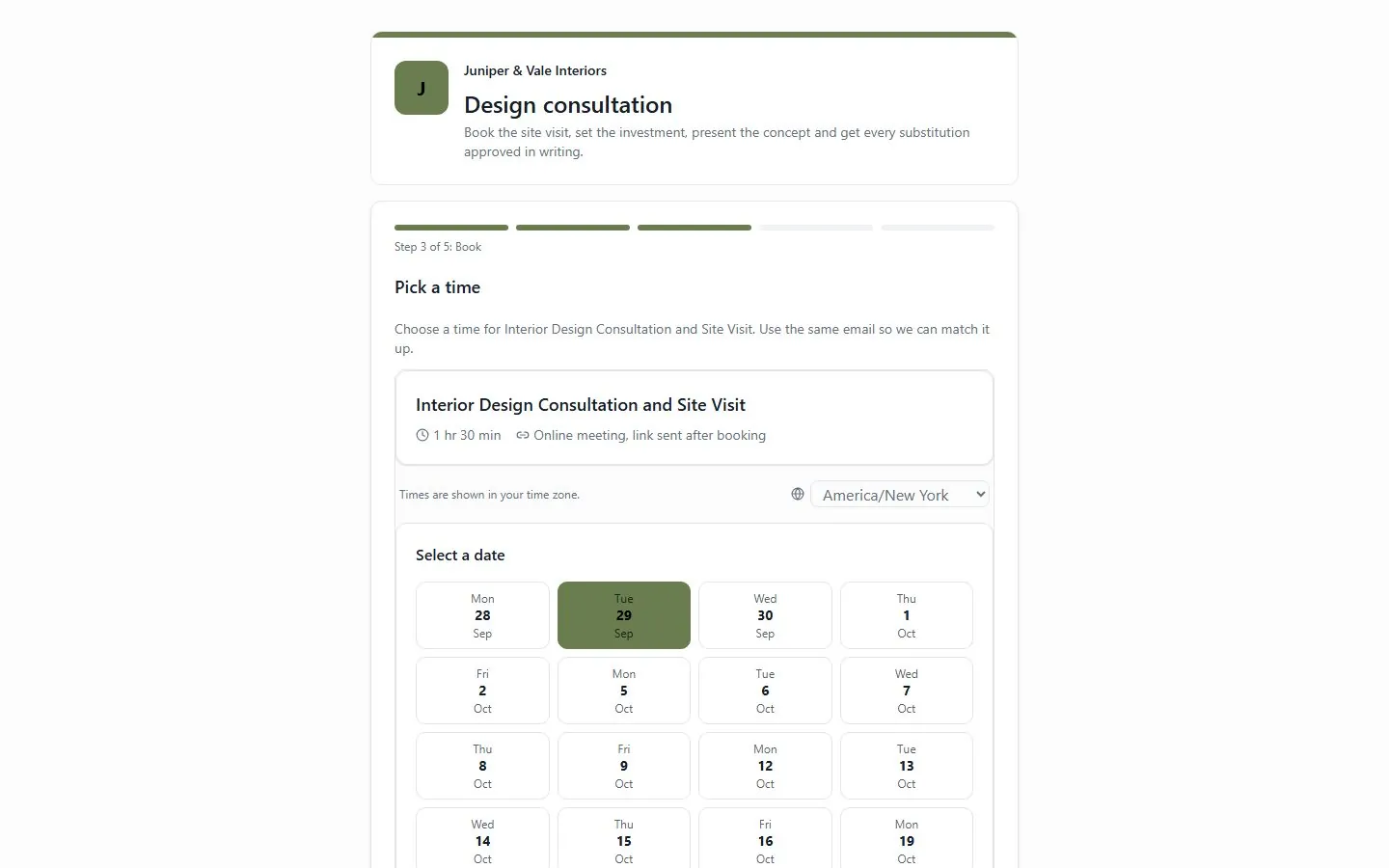
The client flow link walks a new client through five steps, here picking a time for the site visit.
Know what needs your attention
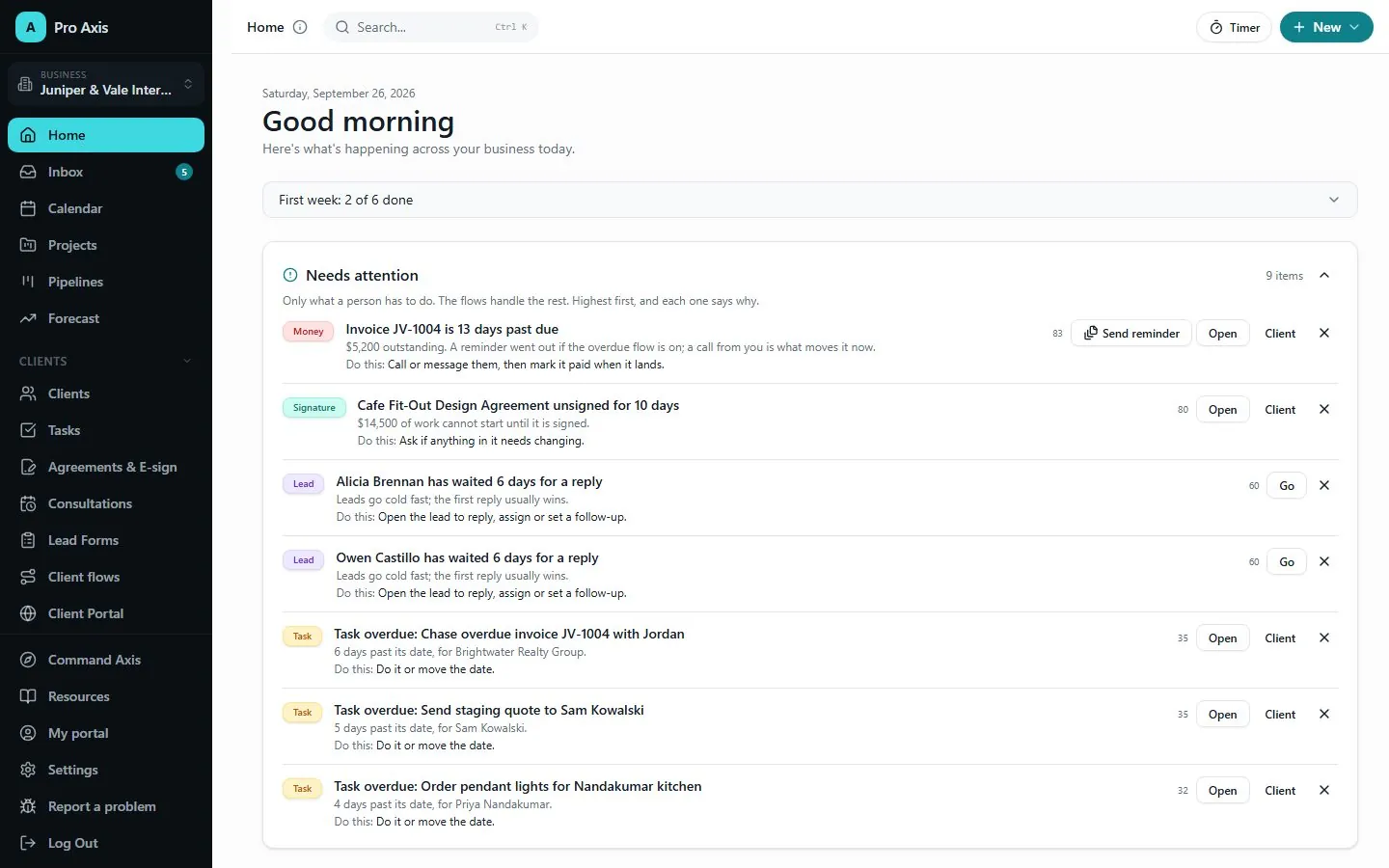
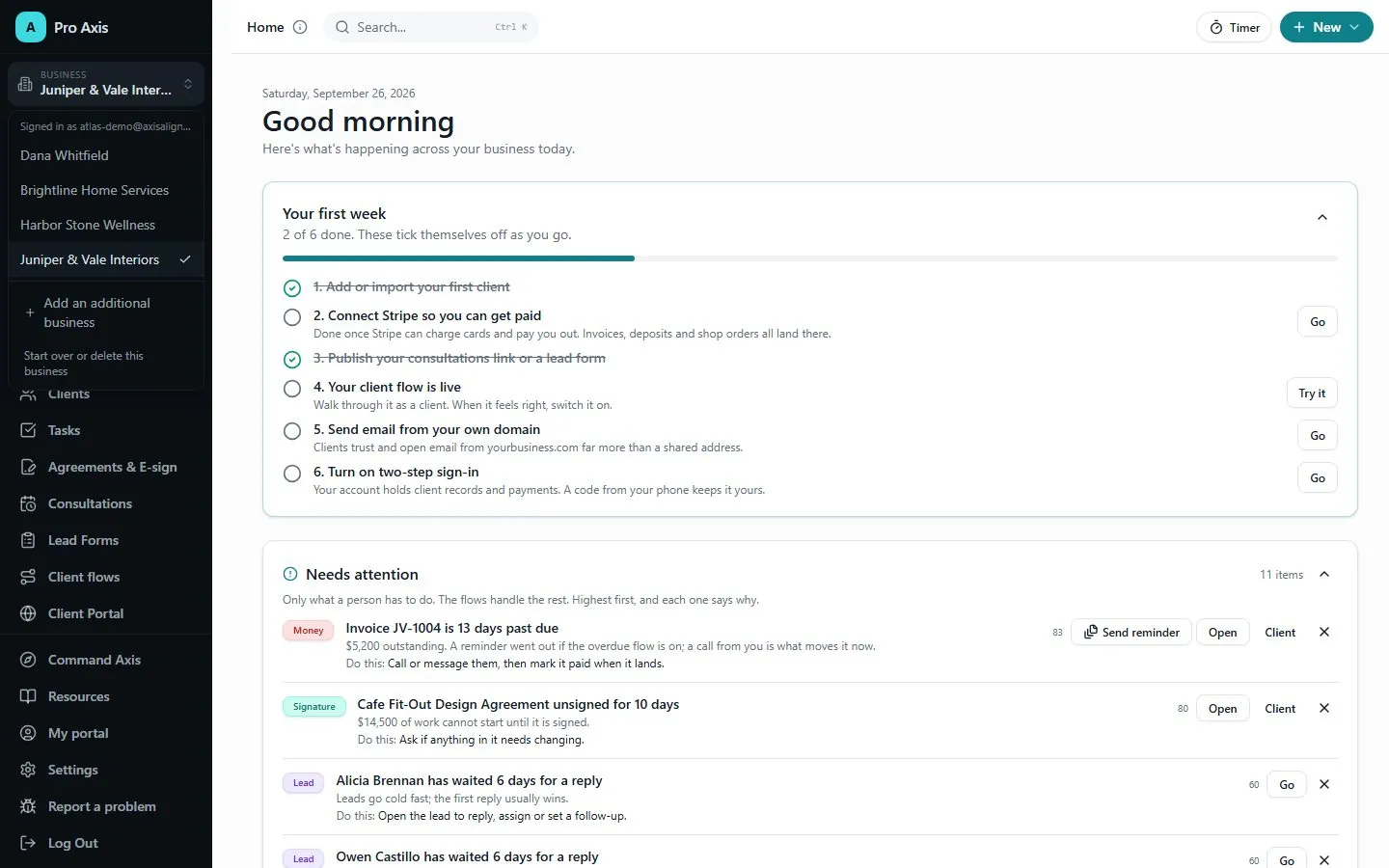
Home opens on what needs you, with every item scored in the open.
Waiting leads
Overdue invoices
Unsigned agreements
Automations that gave up, with a retry
Clients going quiet
A first-week list that ticks itself off
Needs attention ranks what only you can do and says why each item is there.
Keep the whole client history together
Every client on one page, so you never rebuild the story from your inbox.
One timeline of projects, invoices, agreements and meetings
Files, approvals, notes and messages
Every automation that ran
A health score and the next best action
Import your contacts from a spreadsheet
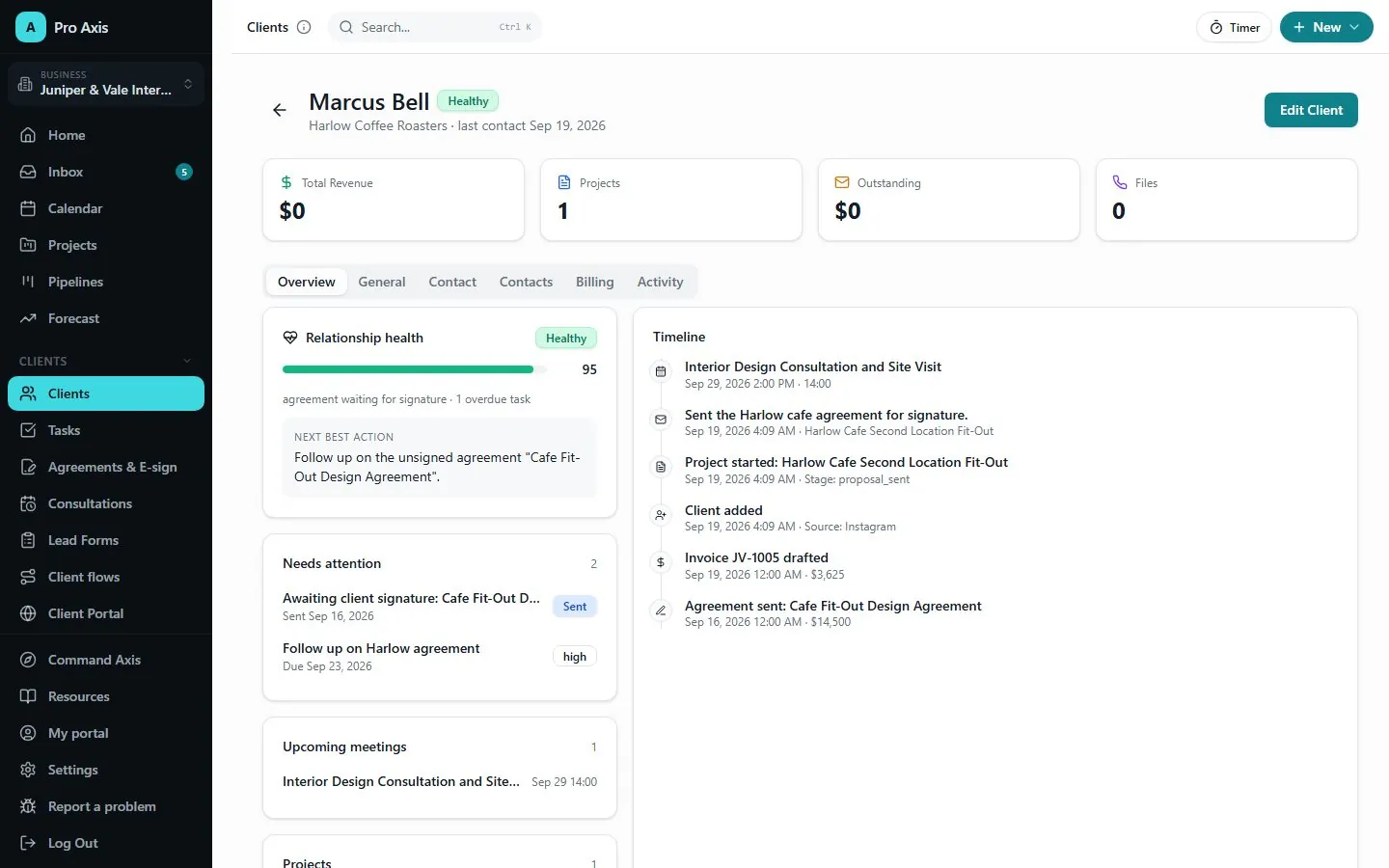
One client page holds the timeline, the health score and the next best action.
Automate the follow-through without giving up control
Built-in flows cover the journey, and nothing goes live until you have seen what it will do.
Welcome and onboarding
Invoice reminders
Testimonial and referral requests
Re-engagement for quiet clients
Explain and dry-run any flow before it goes live
Describe a flow in plain words and review the draft Axis writes
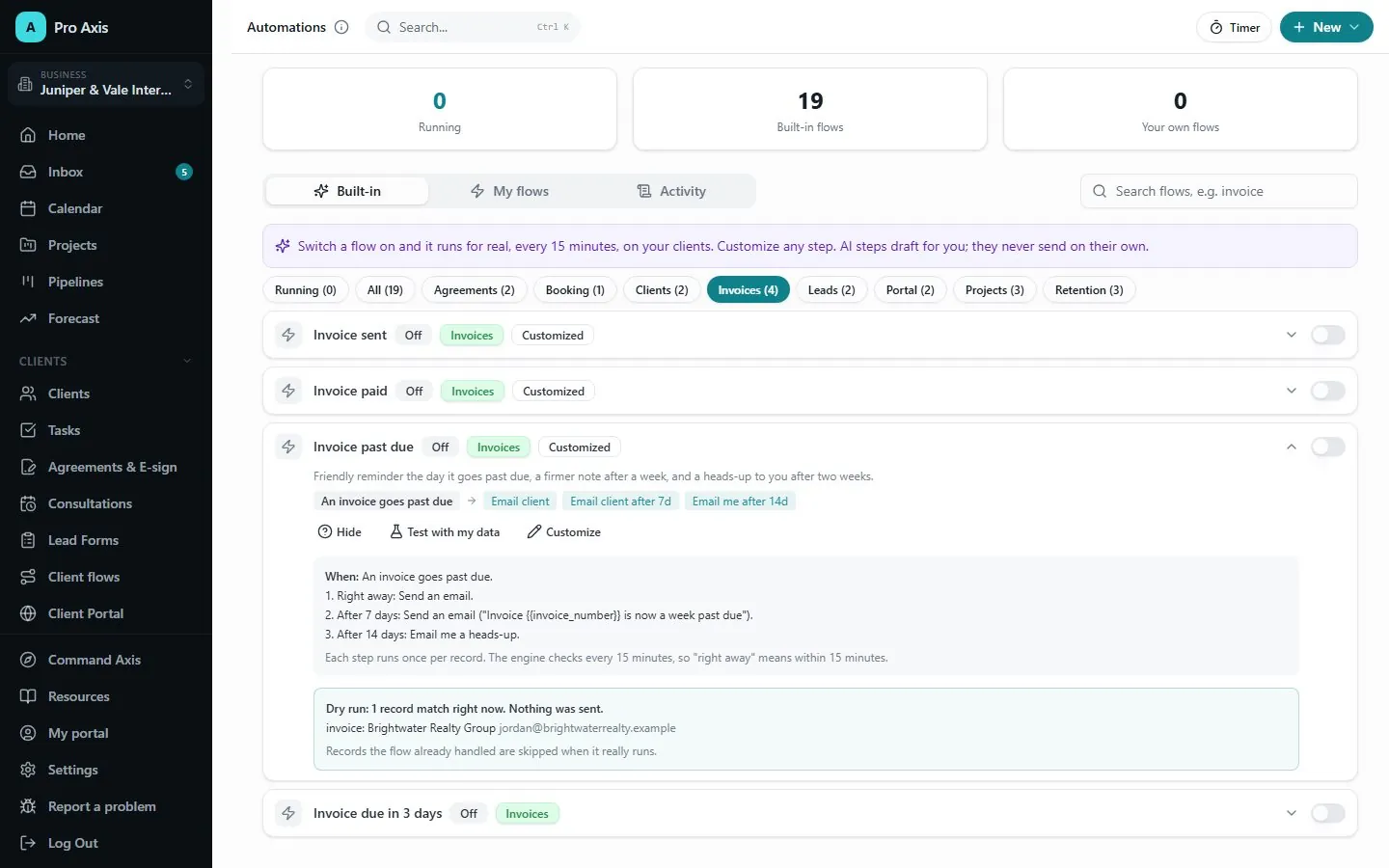
Explain and dry-run a flow to see who it would reach before you switch it on.
Deliver through a portal that works both ways
Clients see what they still need to do, and you ask for what you need in one place.
Tasks for the client
Files with versions
Requests and approvals
Messages in both directions
Buyers get their own sign-in for their orders
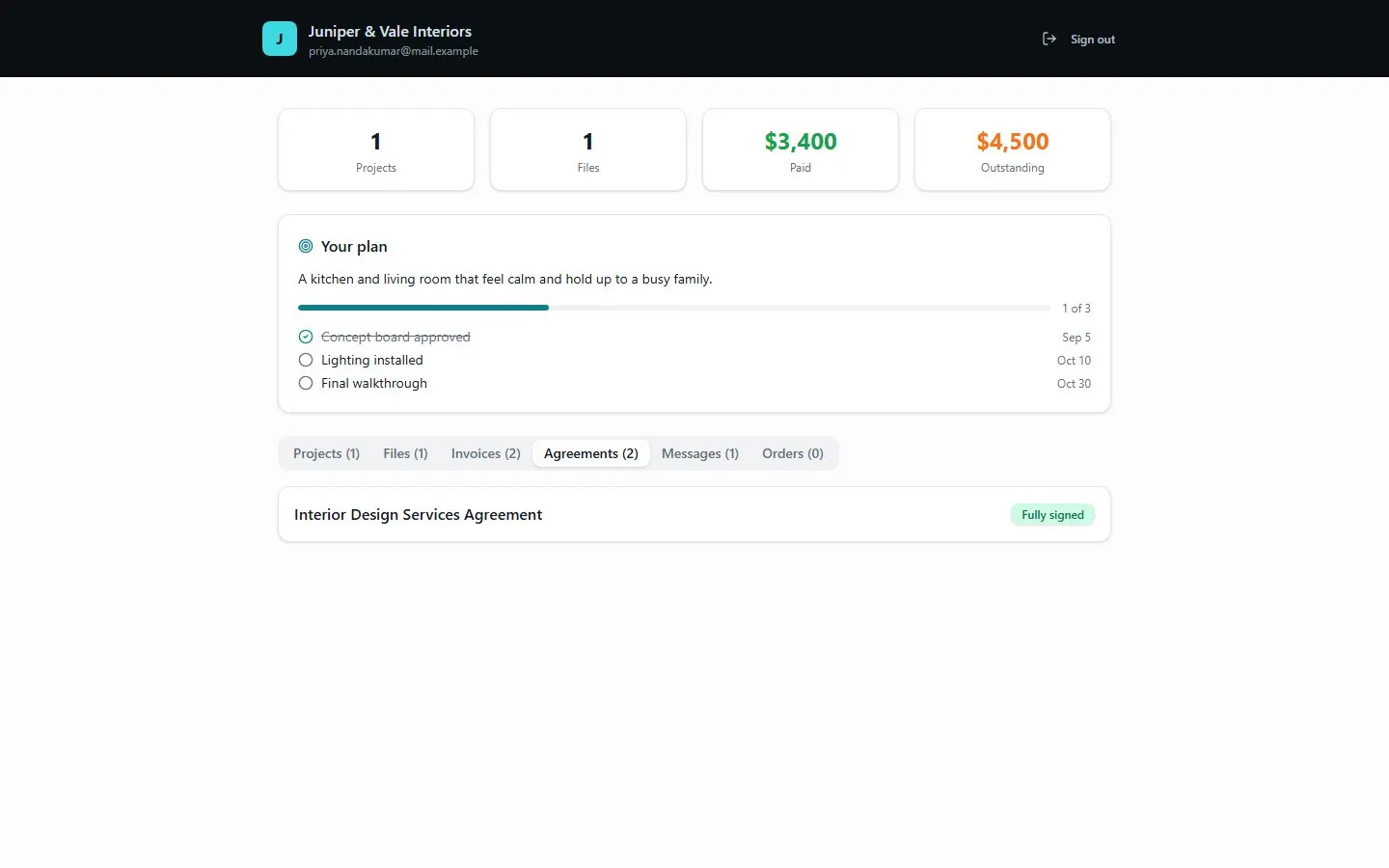
Clients sign in to their own portal to see their plan, projects, files, invoices, agreements and messages.
Get paid and keep good clients
Getting paid is part of the flow, and so is the next piece of work.
Invoice templates, PDFs and pay links
Retainers that invoice themselves
Renewal tracking
Success plans and check-ins
Next-offer suggestions when a plan ends
Sell: a storefront for digital products, memberships and bookings
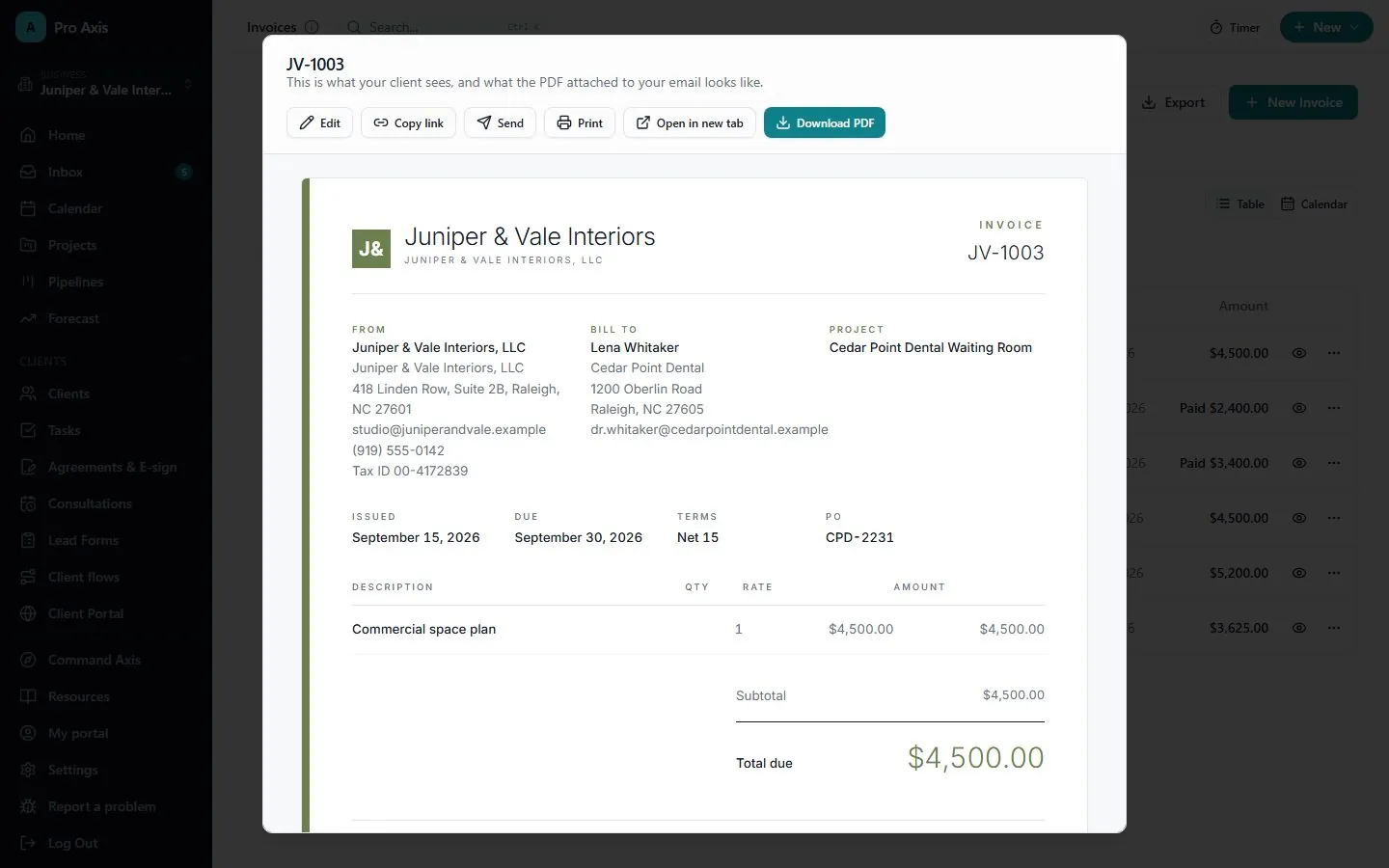
Every invoice has a branded PDF and a link your client can pay from.
Run more than one venture without mixing them
An LLC and a nonprofit stay apart where it matters: the invoice, the booking link and the money.
Separate branding, books, booking pages, Stripe accounts and payouts
Separate setup for each business
Teammates invited with a role
History of every consequential change, with CSV export
Team reports on Standard and Premium
Switch between businesses in one click, each with its own clients and books.
Coming soon
Go live to your audience
A moderated live chat with the product pinned and the recording kept.
Moderated chat
Pin what you are selling
Recordings kept
What you get
A client flow link you can share anywhere
A portal for every client
Invoices with a PDF and a pay link
Signed agreements with a signature certificate
Books and reports
A history you can export
When you are not sure
Thirteen setup packs, from coaches to home services
216 templates and 36 industry kits in eight themes
Flows drafted from plain words, for you to review
A dry run before any automation goes live
Connections
Live
Command Axis
Hold two paid Axis apps, with Pro Axis on Standard or higher, and Command Axis turns on by itself: a card for each app, a brief of what needs you, and one place to ask across them.
Live
Shared business details
Pro Axis works on its own. With Brand Axis or Funding Axis, they share one list of businesses with Pro Axis: the name, legal name, contact details, colour, logo, entity type and location are entered once and kept current. A business made in another app shows in Pro Axis with Add to Pro.
A good fit
Solo service businesses
Owners running more than one venture
Small teams who need shared client records without shared passwords
Not the right fit
Selling physical products that ship: the store does not handle shipping yet
Payroll: Pro Axis keeps the books, it does not run payroll
Plans
Three plans, Basic, Standard and Premium, each priced per business. The differences are how many people you get, how many automations run, and whether Sell, lead forms and pipelines are included. Your first Pro plan starts with a 7 day trial.